Create, manage, and send out marketing materials to your existing and prospective customers. You can create your own forms to help you collect information and sort it by event or customer group. Our editor features a drag-and-drop function that lets you build your own email campaigns in just a few simple steps. You can create text messages and customize exactly how you want your customers to see your message. If you want to market your business by sending out discount codes, you can use the marketing assistant to see how much revenue they’ve generated.
doneCreate your own templates for mailings
doneTracking of Discount Codes
Startup Assistance
We’ll guide you every step of the way from the very beginning. We tailor our setup assistance to your business and the questions you want answered. Together, we’ll walk you through the setup process and configure everything from revenue accounts and inventory accounts to syncing sales with your accounting system. We’ll make sure your accounting system is set up correctly to receive data from Contrl. There’s also time set aside for questions from your accountant or accounting firm.
doneWe understand the whole picture, from sales to accounting
doneFaster Getting Started
Payment Terminal
If you choose a payment terminal, you can expand your payment options. It’s a great complement to Swish, which is already the standard at the register and in the online store. It communicates wirelessly with the register, and the total purchase amount is shown on the terminal’s display. This ensures there’s no chance of an incorrect amount being charged. Additional fees from the provider apply, such as transaction fees and terminal rental fees.
doneSecure Payments
doneThe terminal is wireless and has Wi-Fi
Checkout
With the checkout feature, you can accept card payments and offer invoicing to your customers. It’s integrated into our online store and gives your customers more payment options. Funds are deposited into your bank account as early as the next business day. Additional fees from the provider, such as transaction costs, apply.
doneMore payment options for your customers
doneIncreases the number of purchases from the online store
Klarna In-Store
Let customers choose to pay for their purchase in installments at our checkout. If you sell higher-value items, the transaction may be more convenient for the customer if installment payments are offered as an option. A text message is sent from the point-of-sale system to the customer, who logs in with BankID in the Klarna app. From there, customers select a payment option and sign off on the purchase. The purchase is approved, and a receipt can be issued to the customer.
doneInstallment Payments on the Customer's Terms
doneIncreased in-store sales
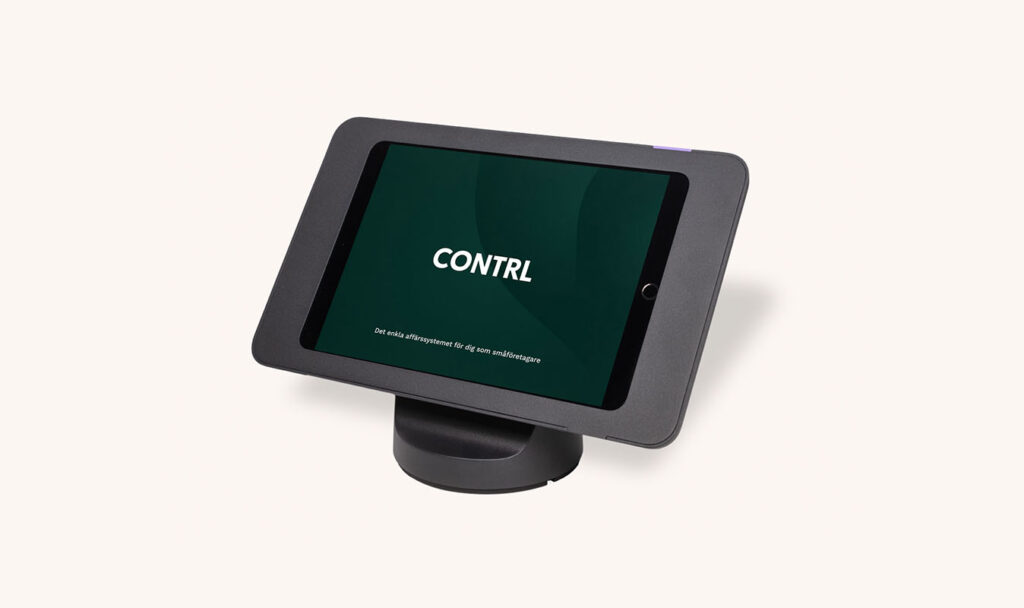
Table Stand
Stylish design that enhances your store. Compatible with several different tablet models.
donePrice-tag items with barcodes
doneHandled directly at the register
Receipt Printer for the Cash Register
Stylish and simple receipt printer
doneWireless Connection via Wi-Fi
doneStylish design
Scanner for the point-of-sale system
Make quick sales by scanning your items at the register. The scanner works very well when receiving shipments and during inventory counts.
doneBluetooth Connection
doneReads both EAN and QR codes
Warehouse
With the inventory module, you can let Contrl keep track of your inventory and the transactions that occur during sales. You can use multiple warehouses and storage locations and sort your goods into the correct locations. If you purchase goods in other currencies, you can easily convert them to the correct exchange rate upon delivery. You also have the option to conduct inventory counts of your entire inventory or selected warehouses. Since the system integrates with your accounting software, the cost of goods is also handled automatically. When a stock item is sold, the cost of goods is posted directly with an accounting entry.
Time & Schedule
The Time & Schedule module includes a time clock for employees to log their hours worked, as well as the ability to schedule staff. Add special events such as training sessions or other activities that require attention. You’ll get a clear overview of the recorded time and any discrepancies. Our time tracking system is cloud-based and can be accessed from a mobile phone.
Maintenance Plan
In the back office, you can keep track of and monitor your company’s tangible assets. These may include vehicles or other equipment used in your business. With the maintenance plan module, you can create your own checklists and reminders based on your assets.
Solid Insurance
Solid Försäkring is one of the leading niche insurance companies in the Nordic region specializing in property and casualty insurance. The target audience for its products consists of private individuals who primarily purchase insurance through our partners when they buy a product or service.
Cash Register
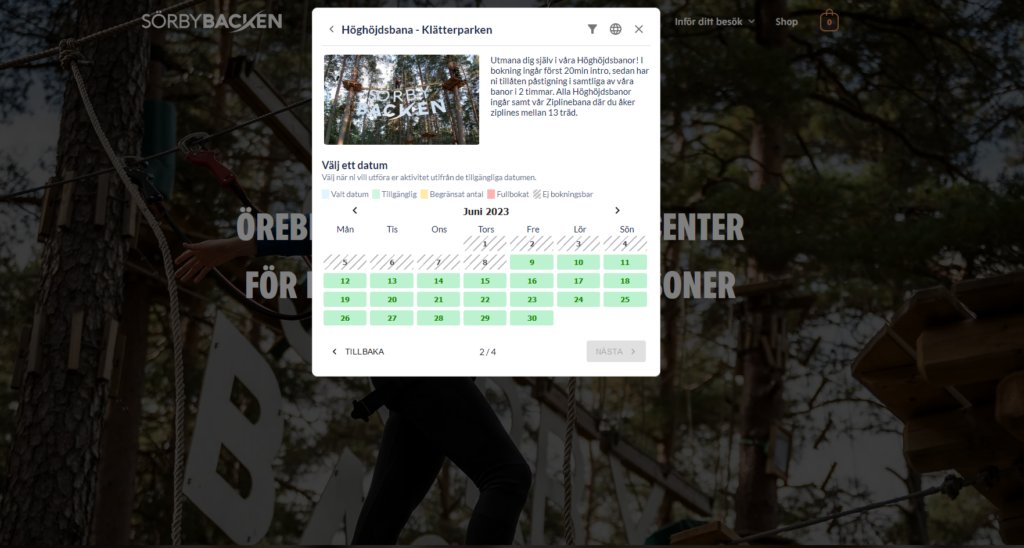
In addition to having the world’s simplest point-of-sale system, it’s integrated with other parts of the system. If you create an order in the Control Panel, it can be paid for at the register. If you offer services or activities, you can use the calendar features to see when your customers are booked. Or you can process deliveries right in the store. Swish is the default payment method.
Online Store
We’ll integrate our online store into your existing website. Build your website exactly the way you want it. We’ll make sure the online store is accessible with the click of a button. Let customers purchase a variety of products. Goods, services, and activities are just a few of the options that are often available for purchase. Swish payments are standard, but the online store can also be expanded to include Bambora checkout, credit card payments, and invoicing.
12 months
Service
With the service module, you can manage and bill for service work you’ve performed right from the register. In the color-coded overview, you can see which jobs are in progress and when you’ve marked them as complete for payment. You can create customer-specific orders with scheduled appointments and communicate directly with the customer using our text messaging service.
Avoid overcrowded warehouses and save time and money
As a small business owner, it can be difficult to strike a balance between keeping enough products in stock to meet demand and not tying up too much capital in products that end up sitting on the shelf. Managing an inventory that is too large can lead to unnecessary costs, while an inventory that is too small risks causing customer dissatisfaction. How do you find the right balance? This is where data-driven decisions can make all the difference.
By analyzing sales data, you can avoid overstocked shelves and instead focus on having the right products available at the right time. Let’s take a closer look at how you can optimize your purchasing and inventory management using sales data and a few smart strategies.
What happens when the stock swells?
Many business owners have at some point purchased too much inventory, either because they don’t want to risk running out of products during a sales peak or because they hope certain products will sell better than expected. The problem with having too much inventory is that it ties up capital that could otherwise be invested in other parts of the business. In addition, there is a risk that certain products will remain unsold, which both takes up warehouse space and reduces the company’s liquidity.
Similarly, an under-stocked warehouse can cause problems, with customers being unable to purchase the products they want, leading to lost revenue and potentially dissatisfied customers who turn to competitors.
Use your data to make smarter purchases
This is where sales data can be an invaluable resource. By carefully analyzing past sales patterns, you can begin to identify trends and patterns that will help you make better decisions about future purchases. Which products sell best during which periods? Are there clear seasonal peaks or periods of low demand? With this insight, you can better predict when and how much to purchase, thereby reducing the risk of overstocking.
With Contrl, you can access reports that show you which products are selling the fastest and which have the highest margins. This not only gives you a clearer picture of your sales, but also helps you determine which products you should focus on—and which ones might not be performing as well.
Optimize Inventory Management
Optimizing inventory management isn’t just about knowing what to keep in stock—it’s also about having the right amount at the right time. By using sales data and seasonal analyses, you can plan your purchases so that you always have enough of popular products without overfilling your inventory.
Example: If you notice that certain products always sell better before Christmas or during the summer, you can plan your purchases based on these seasonal patterns, rather than guessing. This allows you to cut back on unnecessary purchases and avoid tying up capital in inventory that you won’t need right away.
Smart Purchases Free Up Capital
By making more strategic purchases, you not only free up warehouse space but also capital. The money that would otherwise have been tied up in unsold merchandise can instead be used for other important investments in your business, such as marketing, product development, or staff.
Optimizing purchases using sales data is a powerful way to strengthen a company's liquidity and profitability in the long term.
Conclusion: Let the data guide your purchases
Relying on gut instinct when it comes to purchasing can work sometimes, but when you start using data to inform your decisions, you increase accuracy and reduce the risk of unnecessary mistakes. By analyzing past sales and understanding seasonal variations, you can make better decisions about when and how much to purchase.
With Contrl, you can easily keep track of your products, analyze trends, and optimize your inventory so that you always have the right amount at the right time. This allows you to focus more on running your business and less on worrying about overstocked or empty warehouses.